Integrated Invoicing
Invoicing in MIDAS: From Booking to Payment in One System
If you charge for the use of your facilities, managing invoices separately from your bookings creates unnecessary work. MIDAS handles invoicing natively, so the same system that records the booking also generates the invoice, sends it to the client, and tracks whether it has been paid.Generating Invoices
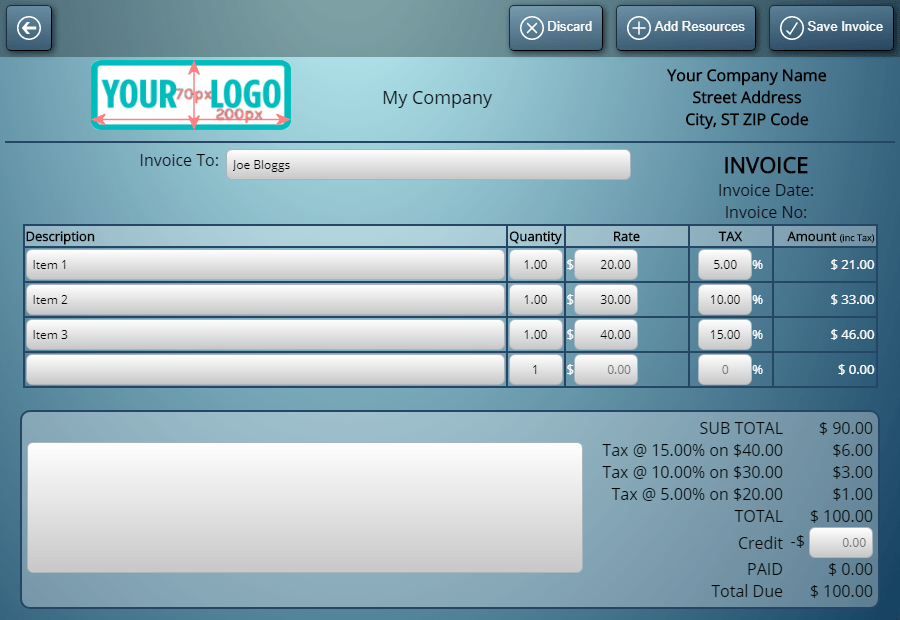
Invoices can be generated automatically when a booking is saved, or created manually at any point - for individual bookings, for a batch over a date range, or as standalone invoices for any service not linked to a specific booking.The invoice total is calculated from the room hire rate, any resources added to the booking, and the applicable tax rates. Each room and resource can have its own tax rate set independently. Clients marked as tax-exempt receive invoices with no tax applied.
Sending Invoices
Invoices can be printed or emailed directly from MIDAS - embedded in the email body, or as a PDF attachment. The email uses a customizable invoice template that can include your logo, payment instructions, and custom text.MIDAS also provides a dedicated payment URL where clients can look up their invoice and pay online, without needing a MIDAS account.
Deposits, Credit Notes, and Receipts
Beyond standard invoices, MIDAS supports deposit invoices, cancellation charges, credit notes for adjustments or refunds, and receipts for completed payments - covering the full billing lifecycle without a separate system.Invoice Reminders and Overdue Notifications
MIDAS can automatically send reminder emails when a payment due date is approaching and follow-up notifications if an invoice becomes overdue. This reduces manual chasing and keeps cash flow moving without extra administrative effort.Exporting to Accounting Software
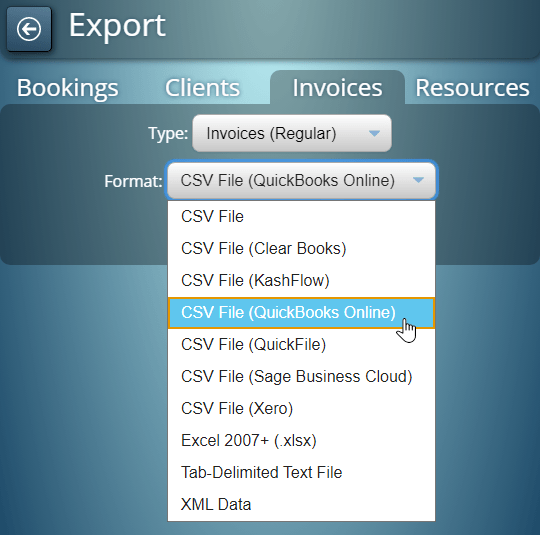
Invoice data can be exported in formats compatible with QuickBooks Online, Sage Business Cloud, Xero, Clear Books, KashFlow, Zoho, QuickFile, and Excel.→ Start a free trial to see how the invoicing features work in a real MIDAS system.
WATCH: How to Generate Invoices:
Further reading:
- Creating Invoices in MIDAS
- Invoice Settings in MIDAS
- Online Invoice Payments
- Export Invoices to QuickBooks Online
- Export Invoices to Sage Business Cloud
- Export Invoices to Xero
- Export Invoices to Clear Books
- Export Invoices to QuickFile
- Export Invoices to Zoho
- Export Invoices to Kashflow
- Export Invoices to Excel