Administrators appreciate the extensive range of permissions that can be assigned on an account-by-account basis in their MIDAS booking software.
These allow the creation of anything from fully privileged administrative accounts to ones with very limited “view only” permissions, and everything in between.
To provide administrators with even greater control, we’ve extended the range of available permissions for MIDAS v4.42 to now include 14 additional administrative permissions.
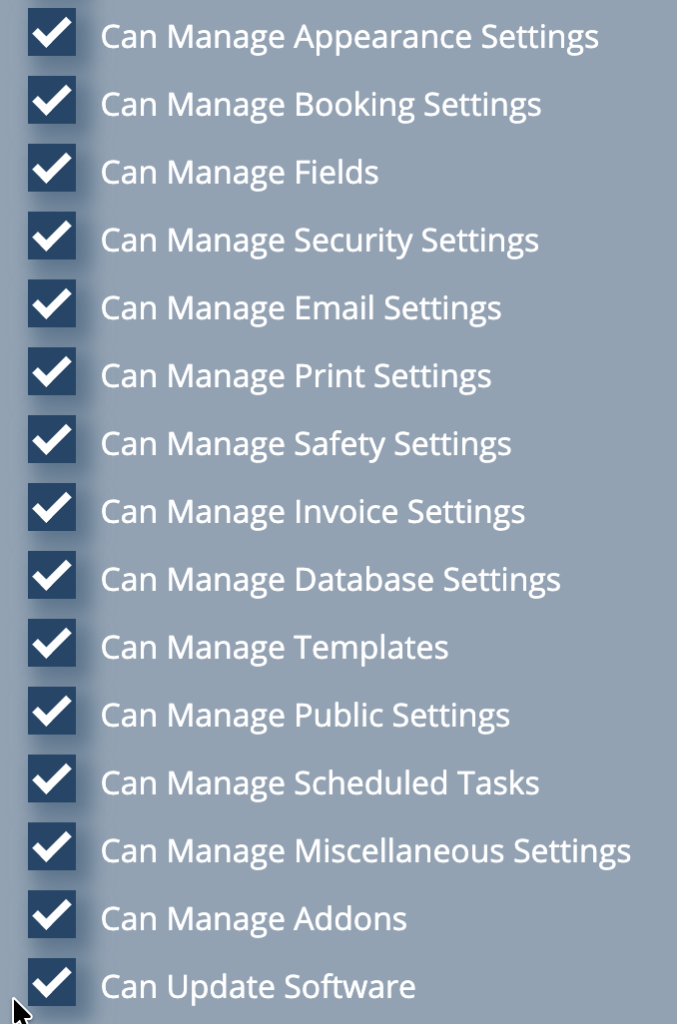
These new permissions replace the previous “Can Manage MIDAS” permission. This generic permission controlled whether a user was able to access the “Manage MIDAS” configuration screens.
Over time the “Manage MIDAS” screens have grown to include a vast array of options and settings. These screens allowed users to change email settings, update templates, configure scheduled tasks, tweak invoice or database settings, and much more.
For v4.42, we have split up the old “Manage MIDAS” screen into separate sections. Access to each section is now controlled by its own dedicated permission. This means, for instance, that you can grant permission to a user to be able to modify your templates, but not allow them to adjust the email settings of your MIDAS system.
The 14 new administrative permissions added in v4.42 are:
- Can Manage Appearance Settings
- Can Manage Booking Settings
- Can Manage Database Settings
- Can Manage Email Settings
- Can Manage Fields
- Can Manage Invoice Settings
- Can Manage Miscellaneous Settings
- Can Manage Print Settings
- Can Manage Public Settings
- Can Manage Safety Settings
- Can Manage Scheduled Tasks
- Can Manage Security Settings
- Can Manage Templates
- Can Update Software (Not applicable in cloud-hosted systems)
When updating from an earlier version to v4.42, any user account which held the “Can Manage MIDAS” permission will automatically be granted all 14 of the new administrative permissions during the update.
Administrators can then refine access for each user account via MIDAS Admin Options → Users.
These changes, together with the ability to make bulk permission changes, provide administrators with significantly greater flexibility and control over who can access specific system settings.