So it’s been a little while since we last blogged. But that’s because we’ve been busy working away on the next update to our room booking and resource scheduling software, MIDAS.
Over the next few posts, we’re excited to give you a first look at some of the new features and improvements in this forthcoming update.
First up – Custom Resource Categories!
“Resources” are additional items/services you can add to your bookings. Until now, resources have been split into three distinct categories; “Equipment”, “Staffing”, and “Consumables”.
The differences between each of these three categories are outlined below:
Equipment:
Resources categorized as “Equipment” are those which are charged per booking, irrespective of the length of a booking. For example, a Flip Chart may be added to this section, as its charge would be the same for 30 minutes or 2 hours. The “Quantity Available” allows you to define how many flip charts are available site-wide at any one time. So, if you own 5 flip charts, set the “Quantity Available” to 5. MIDAS will then not allow more than 5 flip charts to be in-use at the same time.
Consumables
Resources categorized as “Consumables” are those which would only be used one-time, and cannot be reused. For example, paper for a flip chart could be classed as a consumable. The “Quantity Available” figure is very fluid in this category. For example, you may have bulk purchased 100 flip chart paper pads. You would therefore set the “Quantity Available” to 100. However, unlike the other categories, whenever consumables are added to a booking, the remaining “Quantity Available” of that resource decreases by the amount added. So once all 100 flip chart pads have been used, they will no longer be able to be added to any further bookings. That is, until your stocks are replenished, and the “Quantity Available” updated accordingly. Consumables, like Equipment, are charged per booking.
Staffing
Staffing is a section to list human resources you have available to clients. These are charged per hour when added to bookings. For example, you may have 3 AV Technician’s on staff, with an hourly rate of $40. Adding these details to the Staffing section of resources allows your staff to be allocated to bookings with the client charged accordingly.
Following requests from a number of our users, for MIDAS v4.17, we’re adding more flexibility. You can now add your own custom resource categories to compliment the three default categories:
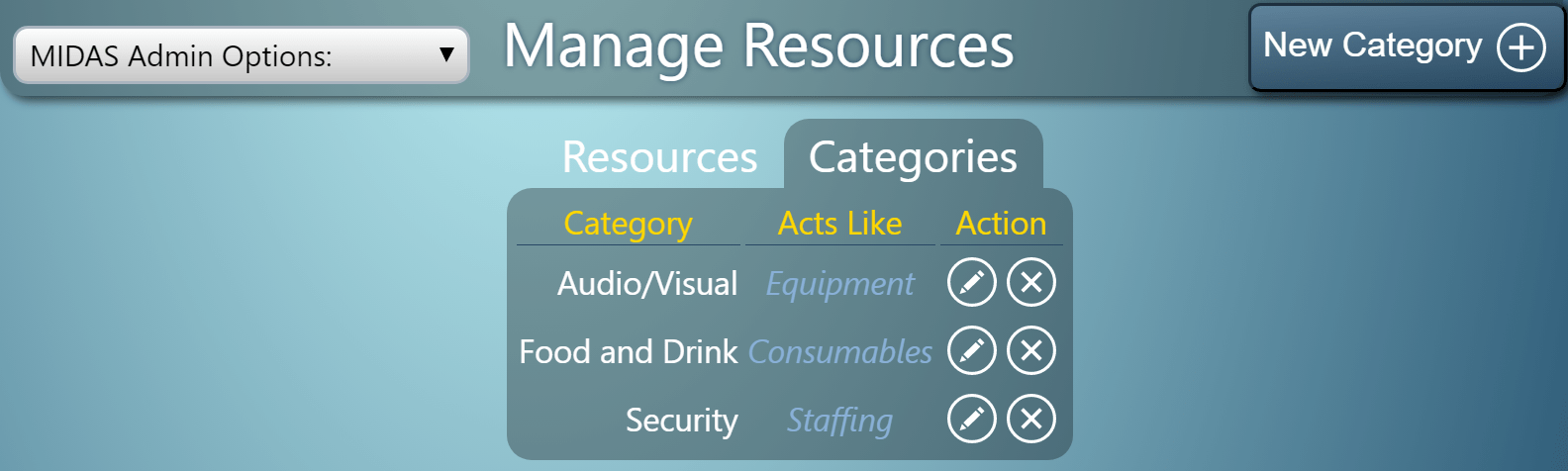
This will be beneficial to organizations with large numbers of resources. Resources can now be broken down into smaller groups.
Each custom resource category you add can be named, and resources assigned to it accordingly. You can also specify how resources assigned to the category should behave in terms of billing and remaining quantities. Items in custom categories can behave as either Equipment, Consumables, or Staffing for these purposes.
When adding resources to bookings, additional tabs will be shown on the Add Resources dialog for each of your custom categories:
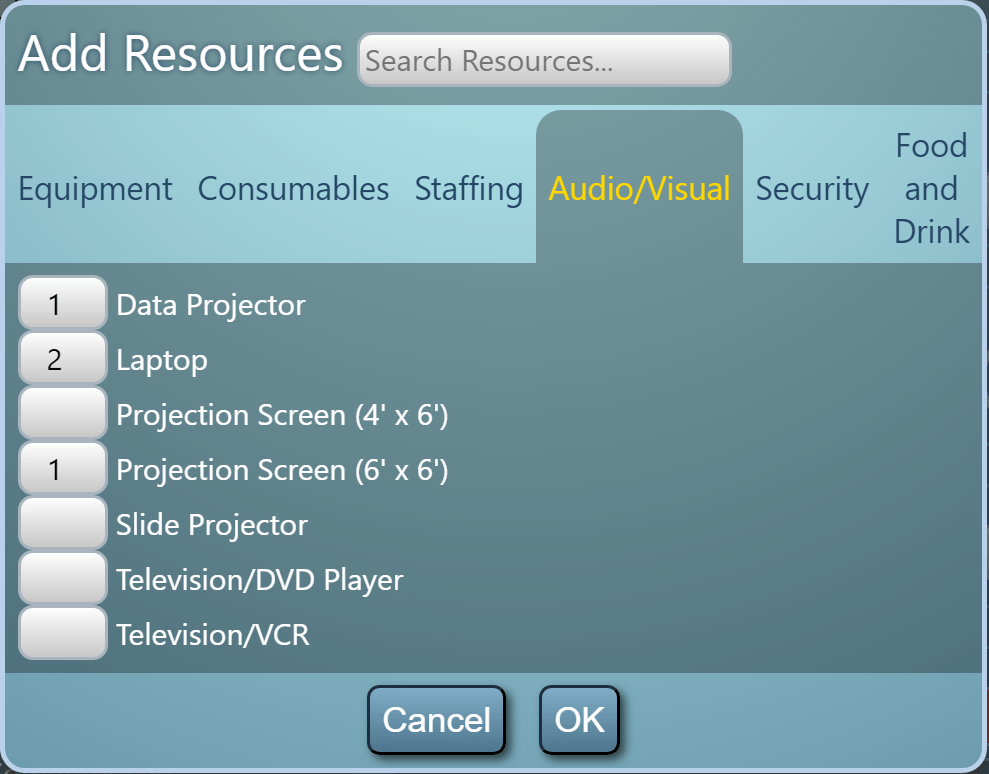
We believe this new feature offers even more flexibility in managing your resources along with your venues in MIDAS!
You can become more familiar with how “Resources” work within MIDAS in our short video tutorial:


 Current versions of Edge, Chrome, and Firefox browsers fully support HTTP/2.
 Current versions of Safari support HTTP/2 on OSX 10.11+
 Internet Explorer 11+ supports HTTP/2 on Windows 10 only