2 minute read time · Updated December 10, 2025 · First published December 10, 2025
The Scheduled Tasks functions of MIDAS allow your booking system to automatically perform certain actions in the background – even when you’re not signed in.
One of the automated tasks your booking system can perform is to send any unsent invoices to your customers.
Previously – and if enabled – the “Send any unset invoices” setting would cause MIDAS to check for and send any unset invoices. This action would occur once a day during the hour in which you’d set your daily scheduled tasks to run.
For MIDAS v4.41, we’re giving you more control over when unsent invoices are automatically sent.
Choose when unsent invoices are sent
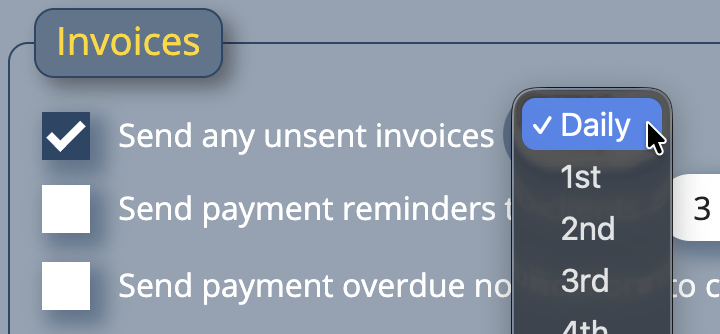
Set “Send any unset invoices” to “Daily”, and MIDAS will behave as before. Once per day (during the hour you specify), MIDAS will send any unsent invoices to your customers.
Alternatively, you can change “Daily” to a specific monthly date. So if set to “1st”, then on the first day of every month, your MIDAS system will automatically send any unsent invoices.
What constitutes an “unsent” invoice?
MIDAS considers an “unsent” invoice to be any invoice which has not been either printed or emailed. Once an invoice has been either printed or emailed to the customer, the invoice is considered to have been “sent”.
2 minute read time · Updated December 15, 2025 · First published December 9, 2025
MIDAS allows organisations to control how members of the public can view room availability, submit booking requests, or make direct bookings for specific venue.
They can do this without signing in or requiring a user account. These are known as the “Public” features of MIDAS.
The Public features of MIDAS comprise of two similar but distinctly different functions…
Public Web Bookings
The Public Web Bookings feature allows an individual to check room availability, book, and securely pay for their booking online.
Public Booking Requests
The Public Booking Requests feature allows an individual to check room availability and submit a booking “request” online. Once a booking request has been submitted, a “Manager” for that space can quickly approve or reject that request. Requests which are approved become confirmed bookings.
Greater control over public venue access
Now, you may not want all the spaces/rooms within your MIDAS booking system to be available for public booking/requesting.
That’s why on the Manage Venues screen, when an administrator selects a venue, there was a tick-box to make the venue “public”.
Until now, marking a venue as “Public” would apply to both public-facing Web Bookings and public-facing Booking Requests – if both features were enabled.
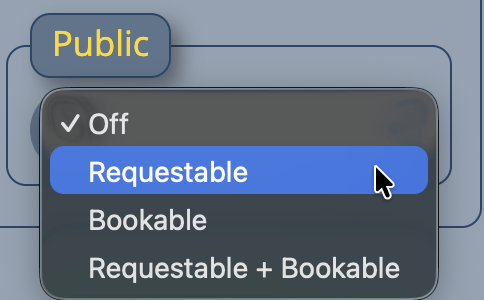
For MIDAS v4.41, we’ve made an improvement. You can now make each venue available for…
Public “Booking”
Public “Requesting”
Both Public Booking and Public Requesting
No Public Booking or Public Requesting
Improved Public Venue Control in MIDAS v4.41
This small but significant improvement will now allow you to have some spaces directly bookable by the public. At the same time, you can have other spaces which must instead be “requested” and approved by an administrator.
This added flexibility makes it easier to balance accessibility with control – especially for venues that require approval before confirming bookings.
3 minute read time · Updated December 15, 2025 · First published December 8, 2025
MIDAS now allows administrators to control whether users can change their display name, email address, or password – providing greater security and flexibility for shared and individual accounts.
Previously, users couldn’t change their display name or email themselves – only an administrator could do this. An administrator could also grant or deny the ability for each user to be able to change their account password.
“Why would you ever not want to allow a user to change their password?” you’re probably thinking!
Many organizations like to create a very limited and generic ‘view only’ account in their MIDAS system. One account that a number of staff all share.
Obviously, you wouldn’t want one person to change the account password on such a ‘shared’ account and lock every one else out. So on this account an administrator could revoke the “Can Change Password” permission to strengthen account security.
For MIDAS v4.41 we’ve added a couple of new and related permissions…
New User Permissions in MIDAS v4.41
Allow Users To Change Their Display Name
With the new “Can Change Display Name” permission granted to a user account, that user will be able to change their display name within your MIDAS system any time they wish.
Allow Users To Change Their Email Address
With the new “Can Change Email Address” permission, a user will be able to change the email address associated with their MIDAS user account. This is the address they use to sign in with and receive notifications at.
How a user updates their details
If a user has been granted at least one of the following permissions…
Can Change Display Name
Can Change Email Address
Can Change Password
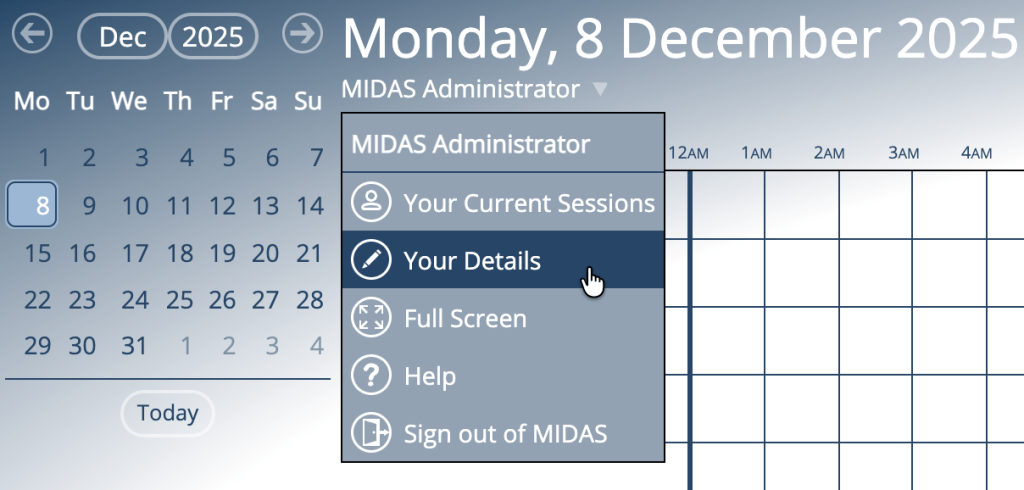
… then they can change their details at any time from the drop-down menu that’s displayed when they select their name (under the main date heading), and then select “Your Details”:
Users can manage their account details in MIDAS v4.41
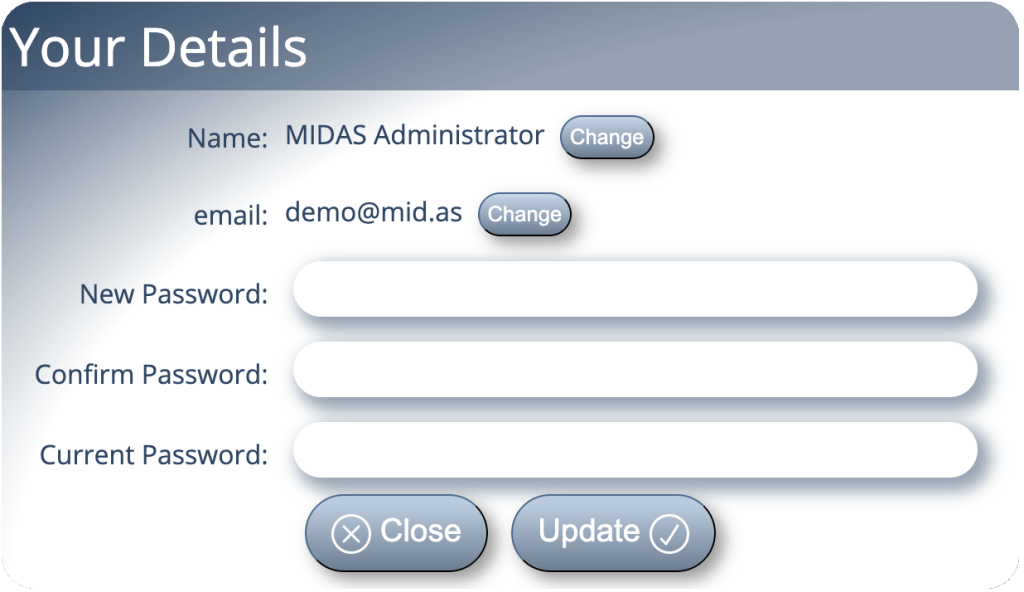
From the “Your Details” dialog, the user will be able to modify one or more of their details (depending upon permissions granted)
Updating your name, email, or password in MIDAS v4.41
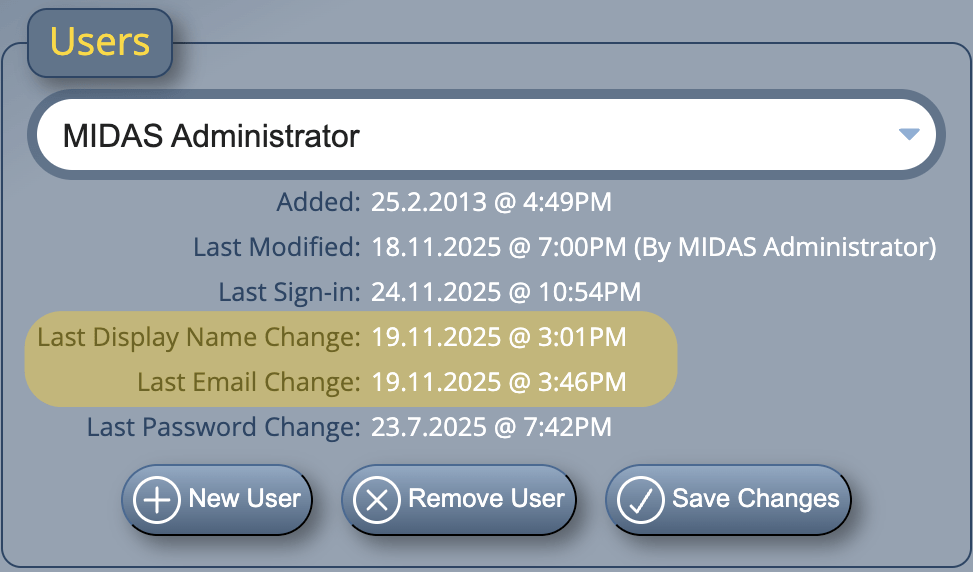
Administrators can also see when a user last updated their details from the Manage Users & Permissions screen:
Administrators can see when each user last made changes to their account