Consistently Delivering Exceptional Customer Support

Customer Service

There’s nothing more frustrating than emailing a business for help and then having to wait ages for a real person to reply, right? Sometimes it can take days for any sort of human response from a business. And if it’s out-of-hours, a weekend or public holiday, this can further add to the annoyance in awaiting their response.

We do things differently!

We know that one of the key factors that sets our room booking software solutions miles apart from our competitors is our exceptional customer support. Not only are our support staff professional, friendly, and knowledgeable – they provide a fast response to queries too!

How do we know this? – Because our customers tell us!

“As someone who also works in the technical support industry, I am thoroughly impressed not only by the speed of satisfactory resolution but also from the fact that it was outside normal working hours!!!

I fully expected this to be picked up the next day and take a few days to fix.”

That’s recent feedback from a customer who emailed us with an issue at 5.40pm one Thursday evening. Within 90 minutes, we’d been able to diagnose and replicate the cause of his issue, update the customer, and seamlessly push an update out to his cloud-hosted MIDAS system to address it.

To ensure that we continue to maintain these high levels of service 365 days a year, one of the metrics we continually monitor is the speed of response to each Priority Support query.

In fact, we’re so proud of our responsiveness that we’re totally transparent about how our support team are performing. We even publish real-time live data over on our dedicated Service Status site.

As 2025 gets underway, we’ve also taken a few moments to review our support performance over the past several years. Here is how we’ve performed in recent times:

 Priority Support Emails…201920202021202220232024
Answered within 15 minutes64.24%65.86%55.16%56.81%53.31%50.38%
Answered within 30 minutes81.68%82.32%77.00%73.09%70.53%72.14%
Answered within 1 hour90.73%93.22%91.31%88.70%86.09%86.26%
Answered within 2 hours97.13%98.55%96.24%93.69%94.70%97.33%
Answered within 3 hours98.68%99.03%97.42%96.68%98.01%98.09%
Answered within 4 hours98.68%99.52%98.12%97.34%99.67%99.24%
Answered within 5 hours99.34%99.76%99.30%98.34%100%100%
Answered within 6 hours100%100%99.77%98.67%100%100%
Answered within 7 hours100%100%100%99.67%100%100%
Answered within 8 hours100%100%100%100%100%100%
Percentage of Priority Support Email response times

We also looked at the “average” response time across the same period:

Priority Support Emails…201920202021202220232024
Average Response Time23
minutes
20
minutes
27
minutes
34
minutes
30
minutes
28
minutes
Average Response Times for Priority Support Emails between 2019 and 2024

Key Takeaways

  • Over the past 6 years, our Priority Support service has achieved consistent response times.
  • More than half of all Priority Support emails are responded to by a human within 15 minutes of receipt.
  • In 2024, the average response time to a Priority Support email was just 28 minutes.
  • Over the past 2 years, all Priority Support emails were responded to by a human within 5 hours of receipt, regardless of the day of week or time of day.
  • Even during a global pandemic, our support continued to be robust and responsive.

Our rock solid uptime and unrivalled support are just a couple of the reasons our customers choose – and indeed stick with – MIDAS for their business needs year on year.

So if you’re considering a new room booking system in 2025, and have been frustrated by your existing provider’s lacklustre response times previous, look no further!

We think you’ll be hard pushed to find a product back-up by 365 days a year support as efficient as MIDAS!

But if you’re still not convinced, check out some more of our Customer Testimonials about our booking solution, and the outstanding levels support we consistently provide year on year!

Oh, and we’re also rated ‘Excellent’ on TrustPilot where you can read more reviews.

Have questions and not sure whether MIDAS is right for you? Why not reach out to our sales team (who are just as friendly as our support team!)


Expiration warnings in older self-hosted MIDAS systems

Our self-hosted edition of MIDAS allows you to install and run the booking system on your own server and infrastructure.

Unlike our cloud-hosted edition, which has a subscription based pricing model, our self-hosted edition is essentially a “perpetual license“. This means that once purchased, you may then use it indefinitely.

That said, we do have an optional annual support subscription available to our self-hosted customers.

A support subscription entitles you to software updates and access to priority support for the duration of your subscription. It’s really important to keep your software up to date, and so we highly encourage all self-hosted customers to take out an annual support subscription.

Because of the risks associated with the running outdated software, in older (now obsolete and unsupported) versions of MIDAS, we implemented a ‘soft expiration’.

This meant that after a certain date, obsolete software would cease to function.

The arbitrary date we set originally was 1st January 2025.

However, this is only a ‘soft’ expiration. The software itself isn’t altered or ‘crippled’ in any way after this date, and the soft expiration can be lifted upon request.

If you’re currently running a self-hosted MIDAS system and you originally installed a version of MIDAS prior to v4.30 (April 2022) then you may be affected.

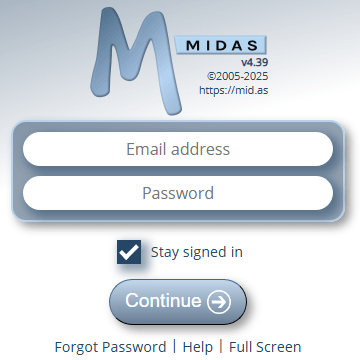
When accessing your MIDAS system, you may see a notification on the login page that your license is about to expire.

If you have an active subscription…

If you see this message prior to 1st January 2025, please update your MIDAS system as soon as possible (and before 1st January 2025) via MIDAS Admin Options > Manage MIDAS > Update.

Once updated, the expiration notice will be removed and you can continue using MIDAS as normal.

If you’re seeing an expiration notice after 1st January 2025, then you will need to use our online Self Service tool to generate an updated configuration file for your obsolete software to continue using it after 1st January 2025.

If you don’t have an active subscription…

The current version of MIDAS is v4.37 (with v4.38 about to land)

If you’re currently running an older version then not only are you missing out on new features and bug fixes, you’re also missing out on important security improvements and enhancements which could put your MIDAS system at risk.

We would therefore strongly recommend that you consider taking out an annual support subscription for your obsolete MIDAS system. This will allow you to update the software to the current version.

Once updated, the expiration notice on your MIDAS login screen will also be removed.

If you don’t wish to update your MIDAS system, then you will need to use our online Self Service tool to generate an updated configuration file for your obsolete software to continue using it after 1st January 2025.

How to resolve this license expiration issue using our Self Service Tool

  1. Go to https://selfservice.mid.as and click the “Select File” button.
  2. Select the “midas.dat” (or “midasglobal.dat”) file from within your current MIDAS installation.
  3. Click the “Generate new midas.dat” (or “Generate new midasglobal.dat”) button.
  4. You’ll be prompted to download a new midas.dat/midasglobal.dat file.
  5. Replace the current midas.dat/midasglobal.dat file in MIDAS installation with this newly generated file.

Cloud Infrastructure Upgrades – December 2024

Cloud Infrastructure

Last week we undertook some upgrades in the three client data centers where our cloud-hosted customer’s MIDAS systems reside.

These data centers are located Atlanta, Georgia (US East Coast Data Center), Seattle, Washington (US West Coast Data Center), and Amsterdam, Netherlands (European Data Center).

When a customer chooses a cloud-hosted edition of MIDAS, they can choose which of these data centers their booking system runs from. (We also offer a self-hosted edition too, for customers wishing to run MIDAS on their own infrastructure)

The upgrades to the sever ‘nodes’ where our cloud-hosted client’s MIDAS systems run include:

  • Increased CPU cores by 50%
  • Increased Memory capacity by 50%
  • Increased port speed by 50%

These upgrades were performed seamlessly without any downtime or impact on customer’s MIDAS operations.

The result of these upgrades is that we can deliver more powerful client nodes, with improved network connections.

In turn, this translates to even more responsive MIDAS booking systems for our customers. It’s all part of the service and commitment we have to our end-users!


Authenticator App Support

Authenticator App

Two-Factor Authentication (sometimes referred to as 2FA) is a more secure method of logging into websites or online services.

Traditionally, when you “log in” to a website or online service, you enter your username (typically your email address) and password. Then you click a button, and if the details you enter are valid, you’re logged in.

Unfortunately, many people reuse the same credentials (username / password combination) again and again for multiple websites and online services. The danger of this is that if one of those services gets “hacked” or suffers a data breach where user credentials are exposed, an attacker could potentially then access all other websites and online services that that person uses.

Two-factor authentication combats this. It does so by employing a secondary means of authentication in addition to the traditional username / password combination in order to authenticate a user’s access.

This means that even if a user’s password has been compromised, an attacker couldn’t then this to gain access to someone’s account.

Two Factor Authentication in MIDAS

Since 2015, all MIDAS room booking systems have included optional two-factor authentication. If enabled, this adds an additional layer of account security to our software.

With Two-Factor Authentication enabled, each time a user logins in, a code is sent to their email inbox. The user must then enter this code into MIDAS in order to complete their log in.

But starting with MIDAS v4.38, we’re improving 2FA options and support in our software!

MIDAS v4.38 (and later) now support authenticator apps – including Google Authenticator and Microsoft Authenticator – as an alternative 2FA login option to email.

Per User Two Factor Authentication Settings

Previously, the 2FA option in MIDAS was a ‘global’ setting. This meant that it could be enabled or disabled for all user accounts at once. It was not possible to have ‘per account’ 2FA settings.

We’ve made this more flexible for MIDAS v4.38!

Now, administrators can set whether 2FA is enabled for each individual user account. The 2FA option for each account can also be set.

Available 2FA options are now:

  • Authenticator App
  • Email

Enabling 2FA Authenticator App Globally in MIDAS

To globally turn on 2FA for all users, administrators can go to MIDAS Admin Options > Manage MIDAS > Security. In the “Two Factor Authentication (2FA)” section, tick the “Enable Two-Factor Authentication For All Users?” box, and then select the “Authenticator App” option:

Global Two-Factor Authentication Options - now includes authenticator apps
Global Two-Factor Authentication Options – now includes authenticator apps

Click “Save Changes” and 2FA via Authenticator Apps will be enabled for all user accounts.

Enabling 2FA Authenticator App For Individual User Accounts

2FA options are also available on a per-user account basis. Administrators can enable, disable, or change the 2FA method on a user account by going to MIDAS Admin Options > Manage Users & Permissions.

Select the user account you wish to enable 2FA for, and choose “Authenticator App” from the “2FA Login” setting:

New per-user Two-Factor Authentication Options

Then click “Save Changes”.

How 2FA via an Authenticator App Works

When 2FA authentication via authenticator apps has been enabled on a user’s account, the next time they login, they’ll be presented with a QR Code to scan with their authenticator app:

Setting up your authenticator app upon first login

If they’re unable to scan the QR Code a ‘secret key’ is also provided which can be manually entered into authenticator apps.

The user’s authenticator app will then generate a 6 digit code which they can enter into MIDAS to complete their login.

The QR Code / Secret Key needs only to be scanned/entered into the user’s authenticator app once upon first use. For subsequent logins, the user will simply need to enter the 6 digit code generated by their authenticator app:

Entering a OTP generated by your authenticator app to complete login

Supported Authenticator Apps

Popular FREE authenticator apps supported by MIDAS include:

However, any OTP authenticator app which generates Timed One-Time Passwords (TOTP) derived from a shared secret value and the current time should be compatible. TOTP codes are typically six digits long and change every 30 seconds.

Resetting 2FA

If a user looses their authenticator app, an administrative user in a MIDAS system can change the user’s 2FA method, or reset their authenticator token. By resetting a user’s authenticator token, the next time the user logs in, they’ll be presented with a brand new QR Code/Secret Key to enter into their authenticator app.

Availability

2FA login authentication has been available since MIDAS v4.10 (2015). However, this implementation is limited to authentication codes sent to users via email. 2FA could also only be enabled globally (for all user accounts)

2FA login authentication via either email or authenticator apps is available in MIDAS v4.38 or later. These options can be enabled globally, or an a per user account basis.