Skedda Alternative: MIDAS Room Booking Software
Looking for a Skedda alternative that doesn't push you into a higher tier every time you add a room? MIDAS offers transparent upfront pricing, a one-time self-hosted option, and the same core booking functionality - typically at a fraction of the cost.
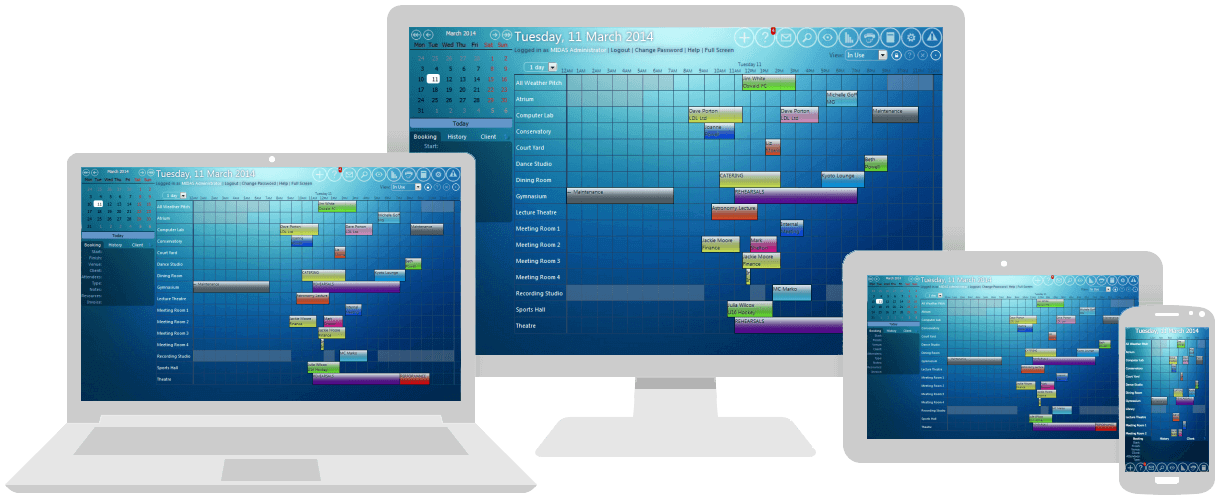
MIDAS is a powerful room booking and resource scheduling system that's been quietly serving organisations across the globe for 20 years. Skedda has built a strong product for the corporate hybrid-office market, but many organisations find its per-space pricing model becomes painful as they grow - and that the features they actually need keep moving up to the next tier.
Why Organisations Switch from Skedda to MIDAS
Skedda is a capable platform, but reviewers across G2, Capterra, and SoftwareReviews consistently flag the same set of frustrations. If any of these sound familiar, it may be time to evaluate alternatives:
- Per-space pricing that punishes growth. Every desk, room, locker, and parking spot counts as a "space" toward your plan limit. The Starter plan's 15-space limit is easier to hit than people expect, and the jump from Starter to Plus, then Plus to Premier, can feel abrupt and steep. Capterra reviewers describe wanting "a more flexible pricing model that accommodates varied space requirements".
- Feature gating across tiers. Features like the full Roles & Rules engine, and detailed analytics dashboards live on the upper pricing tiers. You can easily end up paying for the Premier tier just to unlock one feature you actually need.
- SaaS-only, with no self-hosted option. If your organisation has data residency requirements, sits behind a strict firewall, or just prefers to own its software outright, Skedda doesn't offer a path. Cloud is the only option.
- Setup complexity that "requires thoughtful planning". Skedda's flexibility is real, but G2 reviewers consistently flag that "initial configuration requires careful planning to maximize the product's flexibility" - meaning more upfront work than the marketing implies.
MIDAS vs Skedda: Feature-by-Feature Comparison
Here's how the two platforms compare on the points that matter most when switching:
| Feature | Skedda |  |
| Pricing Model | Per-space tiered ($99 / $249 / $349/mo for 15 / 25 / 45 spaces) | Per-venue and per-user, with published upfront pricing available to all |
| Entry Price | From $99/month (Starter, 15 spaces) | From $29/month cloud, or $459 one-time self-hosted |
| Self-Hosted Option | Not available | Yes - one-time purchase, runs on your own server |
| Custom Branding | Premier tier or paid add-on | Available via the Custom Branding addon on any plan |
| API Access | Premier tier and above | Optional API addon on any plan |
| Equipment & Staff Scheduling | Limited - everything is a "space" | Native support for rooms, equipment, staff, and consumables together |
| Free Trial | Trial period varies; no permanent free tier for paid features | 30 days, fully featured, no credit card required |
The headline difference: with Skedda you pay more as you add spaces. With MIDAS you don't.
The Real Cost Comparison: A Worked Example
Consider a community centre managing 30 bookable spaces (rooms plus equipment) with 10 staff who need user accounts. Here's what each platform would cost over three years:
- Skedda Plus tier: $249/month for up to 25 spaces. To get to 30 spaces, you'd need to either add space packs or move to Premier ($349/month). At Premier: $349 x 12 x 3 = $12,564 over three years, before any add-ons like Visitor Management.
- MIDAS cloud-hosted (annual): 30 venues, 10 users = roughly $500/year. Over three years: around $1,500.
- MIDAS self-hosted: 30 venues, 10 users = roughly $1,100 one-time, plus optional $155/year support. Three-year total: around $1,565.
That's roughly an 80-90% saving over three years compared to Skedda Premier - while gaining the option to self-host if data residency matters.
Granular Booking Rules That Actually Match How Your Organisation Works
Skedda's Rules engine is powerful but tier-locked - the deeper controls live behind upgrade walls. MIDAS gives administrators a comprehensive set of booking rule controls on every plan:
- Per-venue capacity enforcement. Set a maximum occupancy on each room (for example, "Boardroom A: 10 people max") and MIDAS prevents bookings exceeding that figure. Useful for fire safety compliance and meeting room sizing.
- Site-wide occupancy thresholds. Set a soft warning threshold and a hard cap on the total number of people across all venues at once - useful for capacity-controlled facilities or compliance reporting.
- Per-user booking length limits. Cap the maximum length of any one booking on a per-user basis - so casual users can't accidentally book a room for a week.
- Per-user booking quotas. Limit users to a maximum number of bookings per day, week, month, or year.
- Restricted day windows. Show certain users only the 9am-5pm slice of the day rather than the full 24 hours - cleaner UI for users who only book during business hours.
- Predefined time slots. Replace the standard start/finish time selector with a fixed list of durations (e.g., 30/60/90 mins) or a fixed list of slot times - useful for halls, sports facilities, and any venue where you want to constrain booking patterns.
Where MIDAS Wins on Use Cases Skedda Wasn't Built For
Skedda is at its best in a corporate hybrid office where everything is a "space" and the workflow is "find a desk, book it, check in". MIDAS is broader by design:
- Schedule equipment alongside rooms. Projectors, microphones, vehicles, AV kits - book them with the room they're going into.
- Schedule staff to bookings. Assign caretakers, technicians, or instructors to bookings without paying for a separate workforce management tool.
- Native invoicing and revenue reporting. Generate invoices for external lettings, track outstanding payments, and run the Invoices report to see income received vs still outstanding across any date range. Stripe and PayPal payment processing is included as standard.
- Public-facing booking forms. Take requests from your website without exposing your full admin interface.
- Full breadth of organisations. Schools, churches, village halls, conference venues, training centres, and businesses - all on the same platform without the corporate-office assumptions.
The Self-Hosting Advantage Skedda Can't Match
This is the single biggest structural difference between the two platforms. Skedda is SaaS-only. MIDAS gives you a choice:
- Cloud-hosted MIDAS: We handle hosting, updates, backups, and security patches. Subscribe monthly or annually (annual billing saves around 8% versus monthly).
- Self-hosted MIDAS: One-time purchase, install on your own web server, your data stays on your infrastructure. Optional annual support subscription if you want priority access to our team.
For organisations in regulated industries, schools subject to UK GDPR scrutiny, healthcare providers, government departments, or any organisation that has been told "no SaaS for booking data", self-hosted MIDAS is often the only option that ticks every box. Skedda simply isn't a candidate for these conversations.
Transparent, Published Pricing in Five Currencies
Skedda's pricing tiers ($99 / $249 / $349/month) are listed publicly, which is genuinely better than most enterprise competitors. But the moment you need to estimate scaling, add-on costs, or what 60 spaces will cost you, things get murkier.
MIDAS publishes full pricing in USD, GBP, EUR, AUD, and CAD. Every combination of venues (up to unlimited) and users (up to unlimited) has a published price. You can see your exact cost in seconds, with no sales call, no quote request, and no surprises when you scale.
Migration: How to Move from Skedda to MIDAS
Switching room booking systems sounds painful, but most organisations are running on MIDAS within a week. The typical path looks like this:
- Start a free 30-day MIDAS trial with your real venues and a few test bookings. No credit card required.
- Export your Skedda data. Skedda allows export of bookings via CSV. MIDAS accepts .csv, .txt, and .ics imports, so historical bookings can come across cleanly.
- Configure your booking rules. Most Skedda rules translate directly into MIDAS - moderation chains, booking length caps, lead-time restrictions, and per-user access controls.
- Run both systems in parallel briefly to ensure your team is comfortable, then switch new bookings to MIDAS.
Our support team regularly helps organisations move from other booking platforms. If you have a specific question about migrating, get in touch - we'd be happy to answer your questions before you commit.
Frequently Asked Questions About Skedda Alternatives
Why is Skedda so expensive at scale?
Skedda uses per-space pricing where every desk, room, locker, and parking spot counts toward your plan's space limit. The Starter plan caps at 15 spaces ($99/month), Plus at 25 ($249/month), and Premier at 45 ($349/month). Adding spaces beyond your tier's limit forces an upgrade, even if the additional features in the higher tier aren't needed. MIDAS pricing scales by venue and user count without forcing tier jumps for every additional space.
Does MIDAS support interactive floor plans like Skedda?
Yes - MIDAS can be configured to allow users to book from interactive floor plans.
Can I self-host MIDAS instead of using cloud-hosted booking software?
Yes. A self-hosted MIDAS system is a one-time purchase that you install on your own web server, with optional annual support if you want priority access to our team and software updates. Skedda is cloud-only with no self-hosted option. For schools, healthcare providers, government departments, or any organisation with data residency requirements, self-hosting is often the deciding factor.
Is MIDAS cheaper than Skedda?
For most organisations, yes - significantly. MIDAS cloud-hosted starts at $29/month versus Skedda's $99/month entry tier. At larger deployments (30-50 spaces), MIDAS typically costs 70-90% less than the equivalent Skedda Plus or Premier tier. Self-hosted MIDAS at $459 one-time pays for itself within months compared to ongoing Skedda subscriptions.
Can MIDAS replace Skedda for desk booking?
Yes - MIDAS can handle desk booking, hot-desking, and resource scheduling. That said, if your sole use case is hot-desking in a single corporate hybrid office and you don't need equipment or staff scheduling, Skedda's UI is purpose-built for that scenario. MIDAS becomes more compelling when you need to manage rooms plus equipment plus staff plus external lettings, or when you want self-hosting, or when Skedda's per-space pricing has become uncomfortable.
How long does it take to migrate from Skedda to MIDAS?
Most organisations are fully running on MIDAS within a week, often within a day or two for smaller setups. Skedda allows CSV export of your bookings, which can be readily imported into MIDAS via its .csv, .txt, or .ics import options.
Does MIDAS offer a free trial?
Yes - MIDAS offers a free 30-day trial with no credit card required. You can configure real venues, set up your booking rules, and test the platform with your actual users before committing to anything.
Try the Leading Skedda Alternative Today
If Skedda's per-space pricing is pushing you into tiers you didn't budget for, or if you need a self-hosted option that Skedda can't offer, MIDAS is worth a serious look. Twenty years of continuous development, transparent published pricing in five currencies, and the choice between cloud-hosted and self-hosted deployment.
Start your free 30-day trial today - no credit card, no sales call, no obligation.
Comparing Room Booking Systems?
See how MIDAS compares with other room and resource scheduling software:
Robin alternative · Joan alternative · Condeco alternative · SuperSaaS alternative · YAROOMS alternative · MRBS alternative · eSPACE alternative · Hallmaster alternative
Information on Skedda is based on third-party data available at the time of publication and is intended for comparative purposes only; we recommend checking with the vendor for the most up-to-date details.