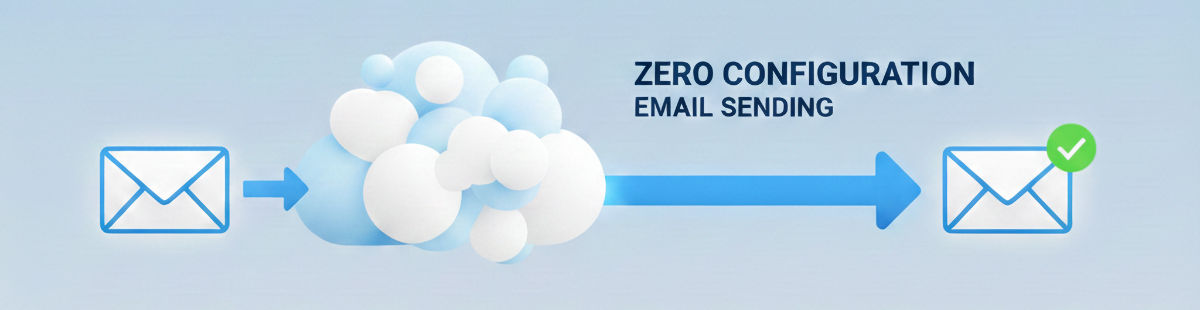
The ability to send email is essential for any booking system.
From booking confirmations and reminders, to invoices, notifications, and password resets, booking and scheduling systems rely on email.
MIDAS naturally supports the sending of email, but we’ve made some exciting and significant improvements to email sending for our cloud-hosted customers for v4.42.
But first, let’s look at the existing ways in which MIDAS can send email.
Until now, the sending of email by MIDAS has been through a choice between “Sendmail” or “SMTP”.
What is Sendmail?
Available on Linux-based servers, Sendmail is a built-in server application for sending email directly from the server itself. Read more about Sendmail.
What is SMTP?
SMTP (or Simple Mail Transfer Protocol) is the standard language used by computers to send emails across the internet. Read more about SMTP.
Sendmail vs SMTP
Both Sendmail and SMTP options have been available in both our cloud-hosted and self-hosted editions.
“Sendmail” has long been the default ‘out of the box’ email transport setting for cloud-hosted customers. However, we’ve always encouraged customers to move over to SMTP as soon as possible.
That’s because generally email deliverability rates are substantially higher when MIDAS is configured to send email through a customer’s own SMTP server, than if instead sent directly through our own servers.
Whilst Sendmail is configured to work ‘out of the box’ for cloud-hosted customers, SMTP requires a little more configuration.
To configure MIDAS to send email via SMTP, you will need:
- The address of your SMTP server
- The correct port number
- The SMTP username and password
- The correct SSL, TLS, or STARTTLS encryption method setting
You will also need to ensure that your SMTP server accepts connections from your cloud-hosted MIDAS system. In addition, your organization’s domain must be configured to allow MIDAS to send email on behalf of your domain.
This requires significant configuration and setup. We want to simplify this for our cloud-hosted customers. That’s why we’re introducing cloud email sending.
Introducing “Cloud Sending”
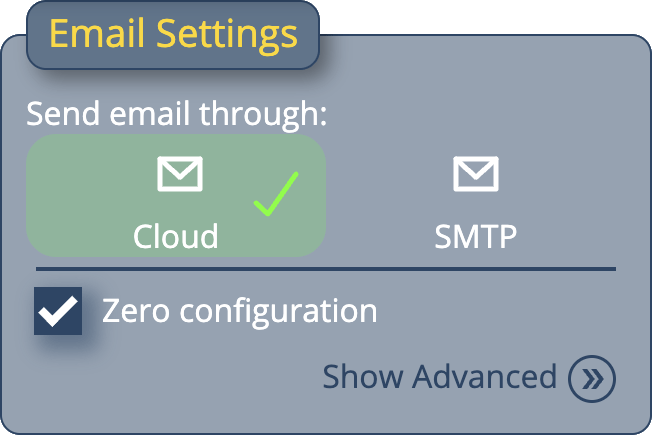
For MIDAS v4.42, we’ve introduced a new “Cloud” option for sending email. This new option is available to all cloud-hosted customers, and replaces the previous “Sendmail” option. (Sendmail continues to remain an option for self-hosted customers).
With the new cloud email option selected, you won’t need to specify an SMTP host, or enter credentials or specify ports – MIDAS will take care of all of that!
We have partnered with a dedicated transactional email provider specializing in high-deliverability email delivery services, to provide efficient and reliable email delivery for cloud-hosted customers who select the “Cloud” email sending option.
Zero Configuration Email Sending
To complement our new “cloud” email offering, we’ve also included a “Zero Configuration” option.
With this option enabled, MIDAS and Mailgun will seamlessly handle email delivery for your MIDAS system. You won’t need to configure an outgoing email address, nor will you need to update your organization’s domain’s SPF (Sender Policy Framework) DNS record – email will just ‘work’ right out of the box.
Of course, if you wish to customize the “send from” or “reply to” addresses, you can untick the “Zero Configuration” option and change those settings.
But in its simplest form, our new “cloud” email sending and “Zero Configuration” options mean that brand new cloud-hosted email systems can now reliably send email right from the outset.
Migrating from Sendmail to Cloud email sending
For our existing cloud-hosted customers, if you’re currently using the “Sendmail” option in your MIDAS system, you’ll be automatically migrated to “cloud” sending soon after we update you to v4.42.
If you do not wish to use the new “Cloud” sending option, you should update your MIDAS settings to instead send email via SMTP.
You can change your MIDAS email settings via MIDAS Admin Options → Manage MIDAS → Email.
If your cloud-hosted MIDAS system is currently configured to send email via SMTP, this setting will be unaffected when we update your booking system to v4.42. Of course, you can then always change over to use the cloud email sending option at any time.