Category: Development

Easily add additional Resources to Invoices

The next update to our web based room booking and resource scheduling software is fast approaching, and we’ve been giving you a “first look” at some of the new features and improvements you can look forward to in MIDAS v4.11.

In v4.11 we’re making it easier to quickly add resources from your inventory to invoices.

When manually creating a new invoice or modifying an existing one, you’ll now find an “Add Resources” button near to the top of the invoice area:

Quickly add resources to invoices

Clicking this button will open up your resource inventory from which you can select quantities of one or more resources to add to the current invoice, updating the invoice total accordingly.

Invoice Receipts

The next update to our web based room booking and resource scheduling software is just around the corner. So this week we’re providing a “first look” at some of the new features and improvements to expect in MIDAS v4.11.

Today we’d like to introduce you to “Invoice Receipts”.

MIDAS already contains extensive automated and manual invoicing capabilities. Now in v4.11 with just a couple of clicks, this brand-new feature allows you to instantly print or email a receipt to a customer once they’ve paid (or part paid) their invoice. In the event of a part-paid invoice, the customer’s receipt will also indicate the remaining amount still outstanding.

Print Receipts
Choose to print the invoice or a receipt

Just like “Regular” and “Cancellation” invoices, you’ll also be able to modify and customize the “Invoice Receipt” templates within your MIDAS system.


New User Permissions

The next update to our web based room booking and resource scheduling software is just around the corner. Yesterday we started our new blog series giving you a “first look” at some of the new features and improvements you can look forward to in MIDAS v4.11..

Today we’re excited to announce two new user permissions in v4.11 to compliment the extensive range of user permissions already available in MIDAS.

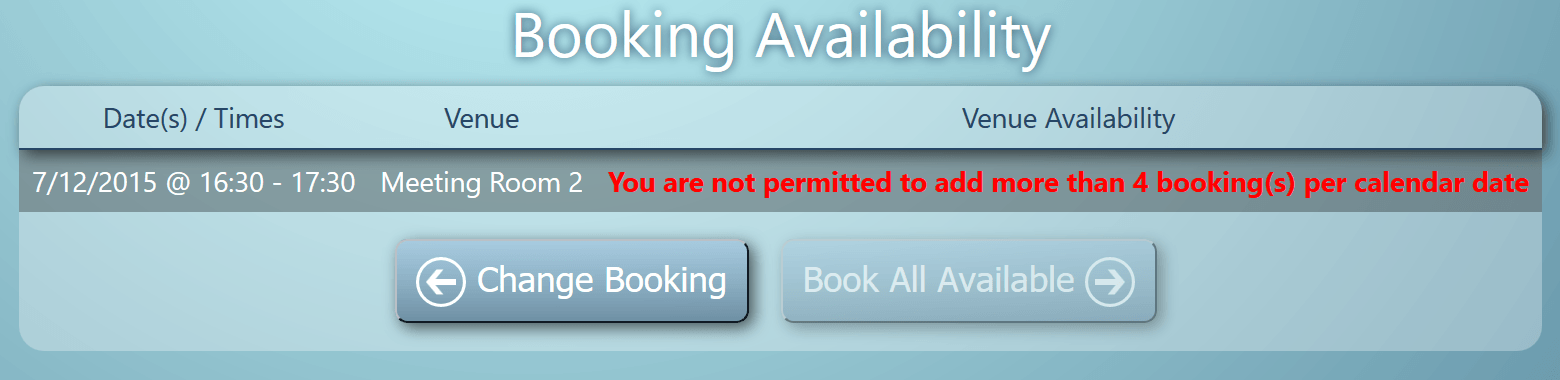
Maximum bookings allowed per date

  • This setting allows you to limit the maximum number of bookings a user may add to any particular calendar date. Left blank, there will be no limit imposed on the number of bookings a user can make.

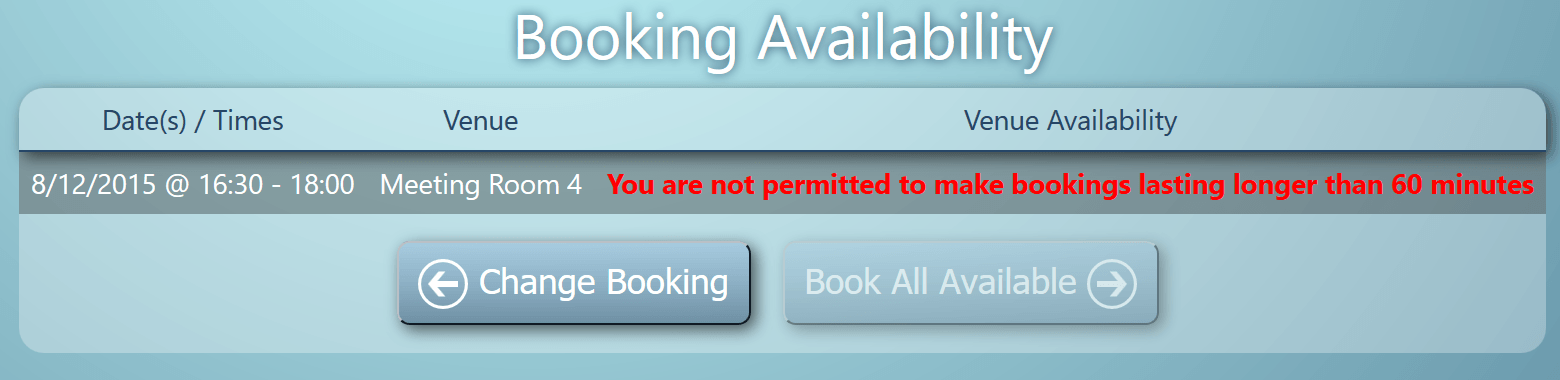
Maximum booking length

  • This setting allows you to restrict the maximum length of bookings (in minutes) a user is allowed to make. Left blank, there will be no limit imposed on the maximum length of bookings.

If either of these limits are enforced for a particular user, and the user reaches these limits, they will be notified accordingly on their Booking Availability Screens:

New User Permission: Maximum bookings allowed per date
New User Permission: Maximum booking length

Booking Cancellation Notifications

The next update to our web based room booking and resource scheduling software is just around the corner, and so over the coming days on our blog we’re going to give you a first look at some of the new features and improvements you can look forward to in MIDAS v4.11..

The first new feature of v4.11 we’d like to unveil is the ability to send a “Booking Cancellation” to a client when their booking(s) are deleted from the system.

When bookings are deleted, users will now be presented with the option to send a booking cancellation notification, along with a brief reason why the booking has been “deleted” (canceled):

Send Booking Cancellation Notifications
Easily send the client a notification explaining why their booking is being cancelled

This functionality is available when individual bookings are deleted, or when multiple bookings are deleted via the “Delete Similar Bookings” function.

Like other email notifications that MIDAS is capable of generating, you also be able to customize the content of the “Booking Cancellation” email template too.