Manage Equipment & Staffing
Beyond the Room: Managing Resources in MIDAS
Most bookings involve more than just the space itself. A meeting might need a projector and catering. A training session might require specific equipment and a technical support person on hand. MIDAS treats all of these as resources - trackable, assignable, and chargeable - alongside the room itself.Three Types of Resource
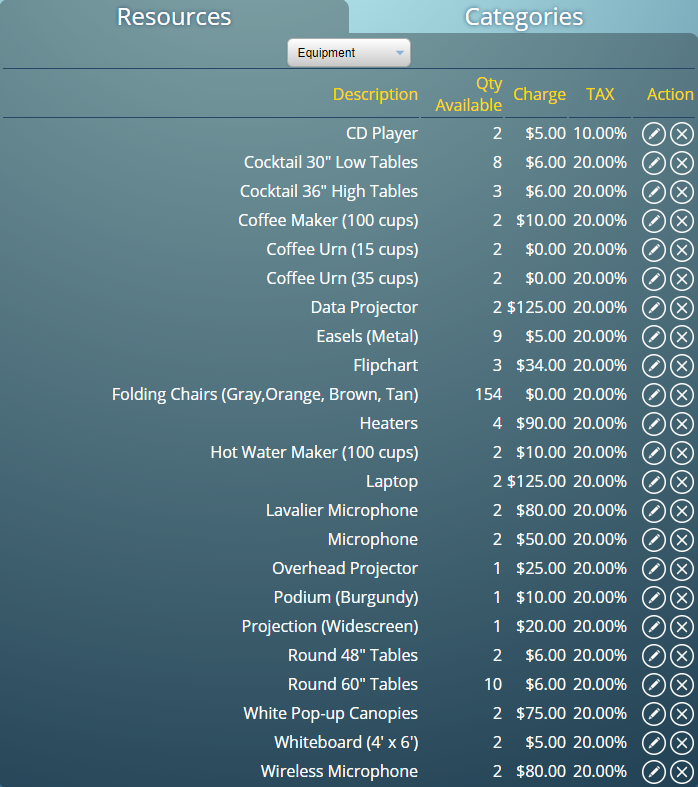
MIDAS supports three categories of resource:- Equipment - Items that get allocated to a booking and returned afterwards. Projectors, microphones, laptops, and similar items fit here. MIDAS tracks availability so the same projector cannot be double-booked.
- Consumables - Items that are used up, like refreshments, stationery, or cleaning supplies. Quantities reduce as they are assigned to bookings, and MIDAS can alert staff when stock runs low.
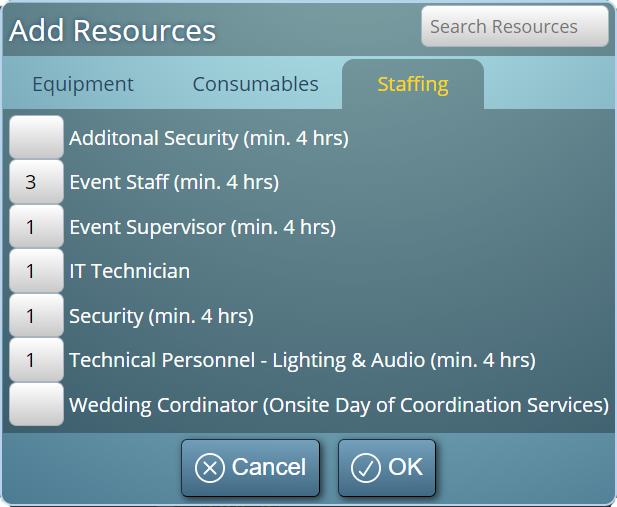
- Staffing - People whose time needs to be allocated. Security, catering staff, IT support, and similar roles can be added to bookings so everyone knows who is needed and when.
Setting Up Resources
Each resource has a name, a quantity, and optionally a charge. You can also restrict resources to specific venues - so room-specific equipment like a fixed projector only appears as an option when booking that particular room.Adding Resources to a Booking
When creating or modifying a booking, staff can add resources directly from the booking form. The quantities available are shown, making it easy to see what is already committed elsewhere. The booking record shows exactly what resources are attached, which is reflected in booking confirmations and printouts.Notifications to Relevant Staff
MIDAS can send email notifications when certain resources are added to a booking. If catering is required for a meeting, the catering team can receive an automatic notification without any manual step. This is configured through the Watches feature.Reporting on Resource Usage
The reporting section of MIDAS includes resource-specific reports showing usage over time, which resources are most in demand, and revenue generated from chargeable resources.→ Start a free trial to see how MIDAS handles equipment, consumables, and staffing alongside room bookings.
WATCH: How to Setup Resources & Add Them To Bookings:
Further reading: