The Scheduled Tasks functions of MIDAS allow your booking system to automatically perform certain actions in the background – even when you’re not signed in.
One of the automated tasks your booking system can perform is to send any unsent invoices to your customers.
Previously – and if enabled – the “Send any unset invoices” setting would cause MIDAS to check for and send any unset invoices. This action would occur once a day during the hour in which you’d set your daily scheduled tasks to run.
For MIDAS v4.41, we’re giving you more control over when unsent invoices are automatically sent.
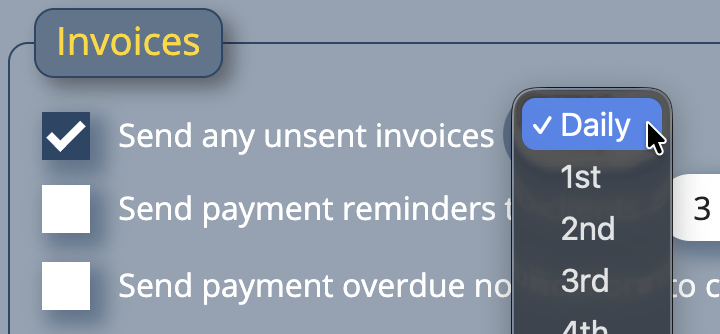
Set “Send any unset invoices” to “Daily”, and MIDAS will behave as before. Once per day (during the hour you specify), MIDAS will send any unsent invoices to your customers.
Alternatively, you can change “Daily” to a specific monthly date. So if set to “1st”, then on the first day of every month, your MIDAS system will automatically send any unsent invoices.
What constitutes an “unsent” invoice?
MIDAS considers an “unsent” invoice to be any invoice which has not been either printed or emailed. Once an invoice has been either printed or emailed to the customer, the invoice is considered to have been “sent”.