If you’re familiar with MIDAS booking software you’ll know that it offers an extensive range of access controls and permissions. Permissions can be assigned on a per-user basis. In fact, if you’ve been following our blog, then you’ll have seen that we’re adding 14 new permissions for MIDAS v4.42 too!
We’re now making it easier to apply bulk permission changes across multiple user accounts.
Previous Behavior
In previous versions, when adding or modifying a user account, an “assign permissions from group” drop-down was presented above the various user permissions that could be assigned:
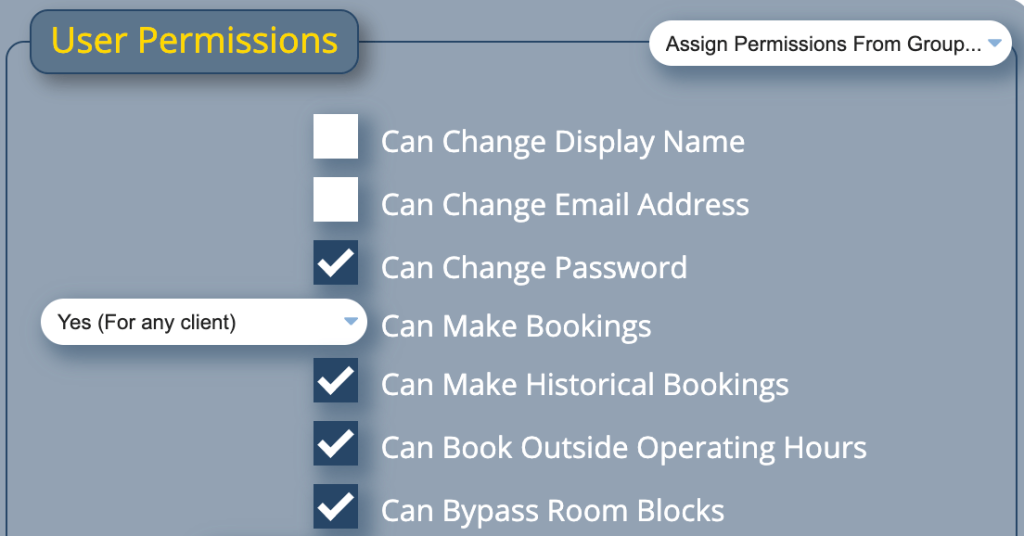
This was a great way to quickly copy the current permissions from a user group to an individual user account.
However, this was a one-time action. MIDAS would snapshot the selected user group’s current permissions and apply them to the individual user account. Any subsequent changes to the group’s permissions would not affect existing user accounts.
Introducing Permission Inheritance
So we have re-worked this for MIDAS v4.42. The “Assign permissions from group” selector has been removed and replaced by a new role-based “Inherit Permissions from” selector.
When a user account is set to inherit permissions from a user group, any subsequent changes to that group’s permissions will automatically apply to all linked user accounts.
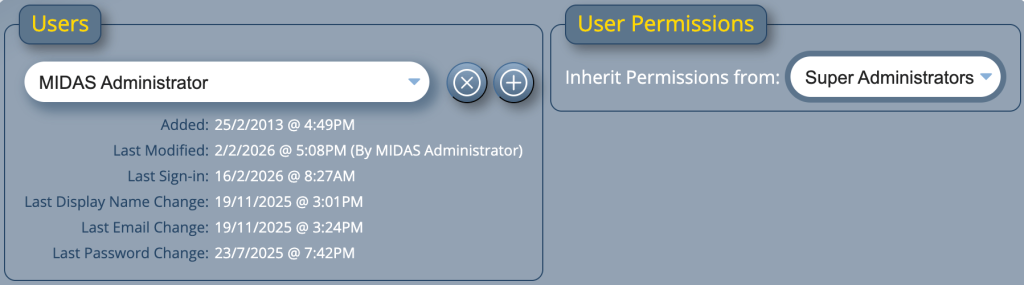
This now allows you to bulk modify user account permissions with ease!
When to use manual permissions
If you still want to grant or revoke individual permissions on a per-account basis, you can – simply set the “Inherit Permissions from” option to “[None]”. When you do this, MIDAS will display the complete list of current permissions for that user, allowing you to make individual changes as required.
User accounts set to ‘[None]’ will not be affected by changes to any user group permissions.
While this new feature may not be all that significant for customers with only a handful of user accounts, larger organizations with several hundred users will benefit greatly from the ability to modify user permissions in bulk.