Venue "Blocking"
Venue Blocking in MIDAS
Many facilities include spaces that can be used independently or combined. A large hall that divides into two smaller rooms with a movable partition is a common example. If the east half is booked as a separate space, the whole hall cannot simultaneously be used for something else - the partition wall is only soundproof if both sides agree on it.MIDAS handles this through venue blocking rules. When a booking is made in one space, MIDAS can automatically prevent conflicting bookings in any linked spaces.
Setting up blocking rules
In the venue management settings, you define which spaces should block which other spaces. The relationship is flexible - blocking can be one-directional or mutual, and a single space can have blocking relationships with multiple others.Practical examples
- A large conference room divides into Room A and Room B. Booking the full conference room blocks both A and B. Booking either A or B blocks the full conference room.
- A noisy rehearsal space is adjacent to a quiet study room. Booking the rehearsal space blocks the study room during the same period.
- A kitchen shared between two event spaces blocks both spaces when it is in use independently.
Override permissions
Administrator accounts can be granted permission to override venue blocking rules in exceptional circumstances. The block is visible to them - they are not unaware of it - but they can proceed if they have a legitimate reason. This maintains the restriction for general users without making the system completely rigid for administrators.→ Try MIDAS free and configure venue blocking rules that match your facility layout.
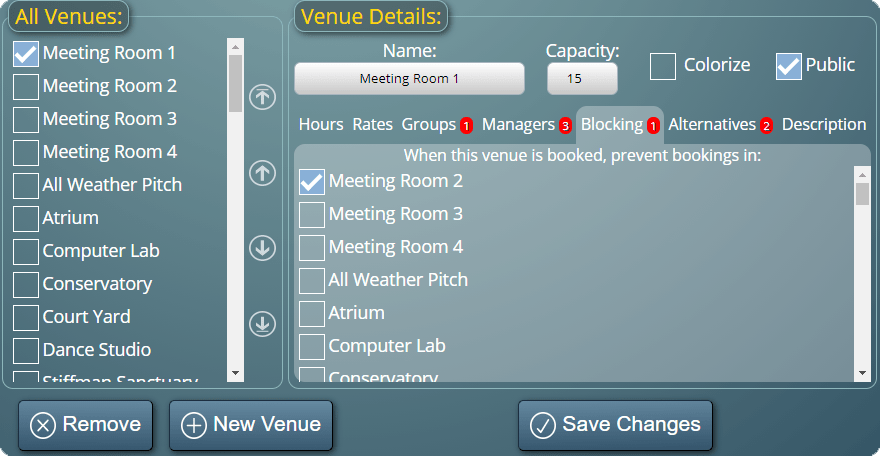
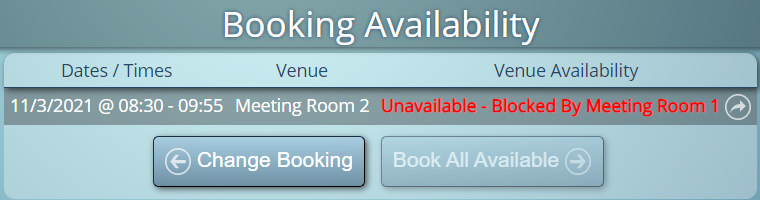
WATCH: How To Block Other Venues:
Further reading: