Clear & Crisp Web Interface
The MIDAS Interface: Clear, Practical, and Easy to Learn
The design of a booking system's interface matters more than it might seem. A cluttered or confusing layout means more time spent on each booking, more mistakes, and more calls to whoever manages the system. MIDAS is built around a scheduling grid that presents the information you need clearly and gets out of the way.The Scheduling Grid
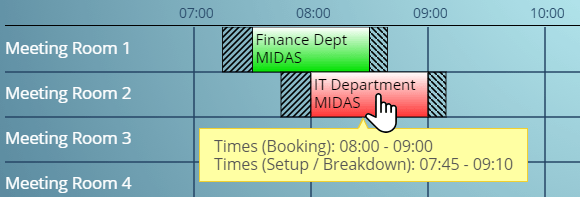
The central element of MIDAS is the booking grid. Rooms run down the left-hand side, time runs across the top, and bookings appear as color-coded blocks. At a glance you can see what is booked, what is free, and what is happening right now. A live timeline indicator shows the current time so you can immediately identify bookings currently in progress.No Software to Install
MIDAS runs entirely in a web browser. There is nothing to install on the computers of the people who use it - they open a URL, log in, and they are looking at the live booking system. No deployment headaches, no version mismatch problems, no dependency on a particular operating system.Visual Themes
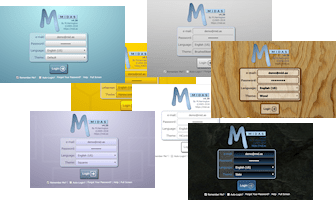
MIDAS includes a range of built-in visual themes. Each user can select their preferred theme from within their account settings. For self-hosted installations, administrators can create entirely custom themes to match the organisation's branding.SVG Graphics Throughout
Icons and graphical elements throughout MIDAS are rendered as SVG, which means they remain sharp at any screen resolution. On high-DPI displays and large monitors, the interface looks exactly as it does on a standard laptop screen.Quick to Learn
Most people can find their way around MIDAS without much training. The layout follows logical conventions - the grid in the center, controls in the toolbar, navigation at the top - and the most common actions are accessible in a minimum number of clicks.→ Try MIDAS free for 30 days - the online demo lets you explore the interface before committing to anything.
WATCH: How to Find Your Way Around MIDAS:
Further reading: