We’ve added a new advanced print option when printing bookings in MIDAS v4.42.
The “Print” icon in the MIDAS toolbar allows for quick printing of bookings show in the current booking grid.
Right-clicking (or long tapping) this icon opens an advanced print dialog.
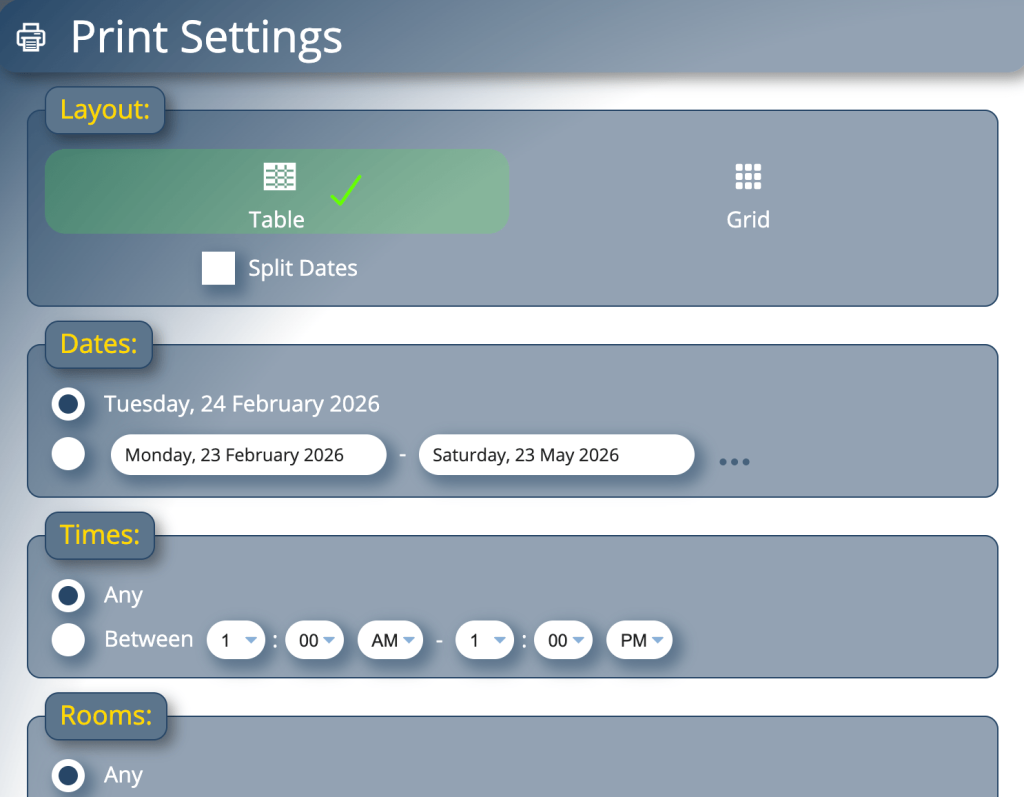
From this dialog, you can customize the booking printout in a number of ways
- Change the layout
- Set the date range
- Restrict to certain times
- Restrict to certain rooms
- Restrict to certain booking types
- Filter bookings based on advanced criteria
We’re improved the date range customization section in v4.42 to now also allow selection of specific days of the week across the selected date range.
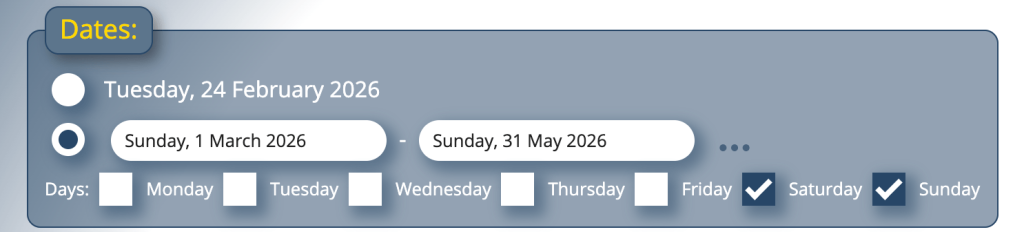
Previously, selecting a date range would simply include bookings for each and every day in the range. Now you can limit this to only include bookings on certain days of the week.
For instance, if you’re only interested in printing bookings that take place on Saturdays and Sundays over the next three months, you now can.